
ROBOTMASTER · OFFLINE PROGRAMMING
From CAD paths. To robot programs.
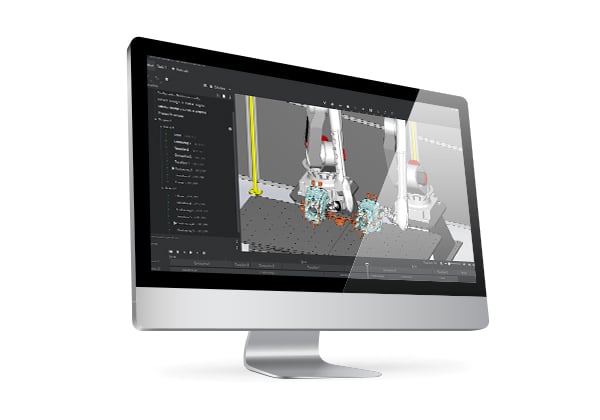
Robotmaster is offline programming software that turns CAD data into paths, helps review and optimize robot motion in a virtual cell, and generates robot programs for deployment.

01 / ABOUT ROBOTMASTER
Keep production moving. Prepare programs offline.
Offline programming (OLP) prepares programs on a computer rather than directly at the robot. It can reduce repetitive teaching for complex shapes and frequent part changes, while enabling cell layout and feasibility reviews before installation.
High-mix production
Revise and review paths from CAD when parts change.
Complex shapes & paths
Evaluate continuous machining, welding and surface-processing paths.
Virtual review, physical validation
Follow simulation with frame/tool calibration and physical commissioning.
02 / KEY FEATURES
From design data to robot motion. One connected engineering workflow.
Cell layout & planning
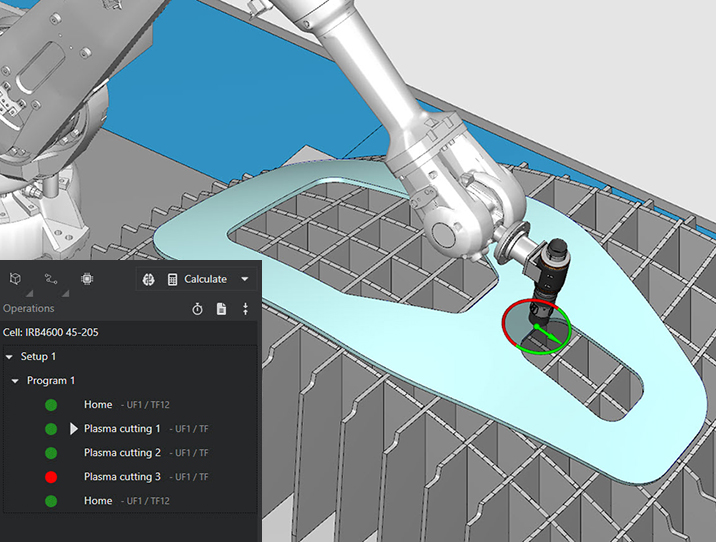
Model robots, parts, tools, fixtures and surrounding equipment to review workspace and reach.
CAD/CAM-to-path programming
Build paths from geometry and process requirements, then translate CAD/CAM trajectories into robot motion.
Tool orientation & optimization
Adjust tool orientation and robot configuration; review and resolve singularities, joint limits and reach issues.
Simulation & collision review
Review motion and interference in the virtual cell. Reliable results depend on an accurate model of the installation.
External axes & multiple robots
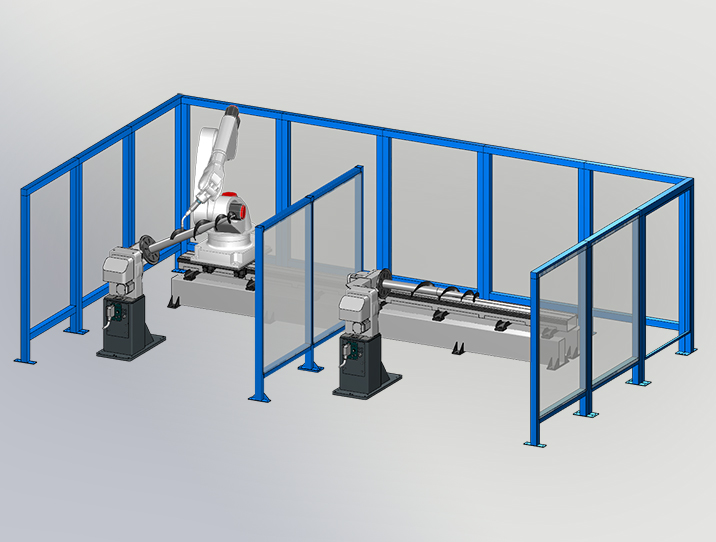
Program systems with rails, rotary positioners or multiple robots, subject to configuration compatibility.
Robot program generation
Generate code with the appropriate postprocessor, then proceed to calibration and on-site motion validation.
CAD → ROBOT PROGRAM
- 01Cell & CAD
- 02Create paths
- 03Optimize motion
- 04Simulate & review
- 05Output & validate
After code output, align the real cell and validate motion and process quality under the required safety procedures.
03 / APPLICATIONS
Robot motion, shaped for your manufacturing process.
These are Robotmaster application areas, not a list of IIEMAC project references. Availability depends on software modules, process equipment and robot configuration.
Cutting
Geometry-based paths and tool orientation for plasma, waterjet and laser cutting.
Welding
Plan and review weld paths and robot configurations.
Machining & milling
Translate complex 3D machining paths into robot motion.
Deburring
Review edge-finishing paths, tool orientation and approach configurations.
Grinding & polishing
Prepare continuous paths and tool contact orientation for surfaces.
Surface treatment
Plan surface-following paths and review process coverage.
Painting & spraying
Configure spray paths and robot orientation around part geometry.
Dispensing & sealing
Review adhesive and sealant paths, including nozzle orientation.
Additive manufacturing
Prepare robot paths and process conditions for material deposition and repair.
04 / ROBOTS & SYSTEMS
Beyond a brand. Matched to your robot system.
Evaluate multiple robot brands and external-axis configurations within one workflow. A listed brand does not guarantee support for every model, controller or process.
- 01Robot model, controller & software version
- 02Tools, fixtures, rails & positioners
- 03Process, modules & postprocessor
- 04Cell frames, tool calibration & commissioning





- ABB
- FANUC
- KUKA
- YASKAWA
- Stäubli
- Cloos
- Comau
- DENSO
- Doosan
- EPSON
- Hanwha
- HIWIN
- HYUNDAI
- IGM
- Kawasaki
- Leantec
- ESTUN
- MITSUBISHI
- NACHI
- OMRON
- OTC
- Panasonic
- Reis
- SIASUN
- Techman Robot
- UNIVERSAL
Examples from the official supported-brand list. Verify compatibility against the configuration above.
05 / RESOURCES & FAQ
Original documents and FAQs, in one place.
Original files are linked to our shared download center. The FAQ below covers practical checks before use.
Frequently asked questions
01Can I prepare programs without stopping production?
Prepare paths and programs on a PC while the robot is producing. Deployment, frame checks and physical validation may still require controlled stops and on-site procedures.
02Does a listed brand mean every robot is supported?
No. Check the model, controller, software version, external axes, process modules and postprocessor together.
03Does simulation remove the need for calibration?
Calibration and commissioning remain necessary. Align real and virtual frames, tools and part positions, then verify motion and process quality on site. Software does not correct faulty hardware or poor robot mastering.
04What information is needed for an evaluation?
Prepare part CAD, process and quality requirements, robot/controller details, tools, fixtures, external axes, cell layout and production conditions.
05How much training and time saving should I expect?
This depends on process complexity, user experience and configuration. Confirm training/support scope separately and assess savings against actual parts and the existing workflow.
06How do I check PC, license and update requirements?
Use the official system requirements for the version being installed. Verify OS, CPU, RAM and graphics, then confirm licensing, maintenance and supported versions against your agreement and supply channel.
Check registered manuals →Adapted from official Robotmaster product, application and FAQ information. Reviewed: 2026-10-28. Features and support depend on version, modules and agreement.
LET’S REVIEW YOUR PROCESS
Explore what is possible for your process.
Share your parts, robot and current workflow so we can review the system configuration and application requirements.