KUKA
Robot controllers
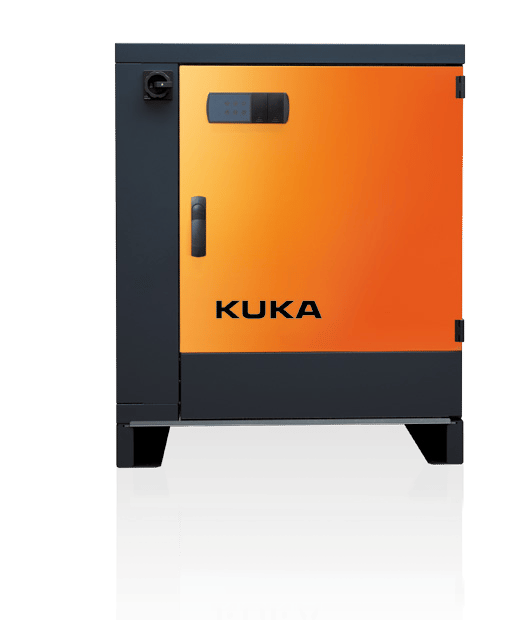
KR C4
- Type
- Robot controller
- Checks
- Nameplate code, KSS version, robot and safety options
Price, supply and delivery are confirmed after checking the exact model.
PRODUCT OVERVIEW
Introducing KR C4
Controller family for KUKA robots, external axes and devices. Review service/replacement against robot generation, KSS version and installed options.
PRODUCT FEATURES
Features & configuration
01Coordinate tooling and peripheral equipment into a process-specific system.
Drive the robot and external axes from the cabinet
Choose the cabinet and expansion box for the number of positioner or rail axes. Compact and extended variants support different axis arrangements, so verify the cabinet code, supply and axis modules when replacing one.
Feature reference · KUKA · KR C4 Controllers · Hardware technical data
- Pendant and machine I/O
- KR C4 cabinet
- Robot and external axes
- Type
- Robot controller
- Checks
- Nameplate code, KSS version, robot and safety options
SPECIFICATIONS & SELECTION
Specifications & selection
Read model scope, units and conditions together with the values.
Manufacturer performance specifications
Scroll wider tables sideways to see all columns.
| Model | Max. controlled axes | H × W × D (mm) | Protection | Mass (kg) |
|---|---|---|---|---|
| KR C4 compact | 6 + 2 | 271 × 483 × 460 | IP20 | 33 |
| KR C4 smallsize-2 | 6 + 6 | 615 × 580 × 540 | IP54 | 60 |
| KR C4 | 9 | 960 × 792 × 558 | IP54 | 150 |
| KR C4 midsize | 9 | 1,160 × 792 × 558 | IP54 | 160 |
| KR C4 extended | 16 | 1,600 × 842 × 562 | IP54 | 240 |
How to read the performance figures
The IP20 compact is a 19-inch rack unit and reaches 6+2 axes with an additional axis box. Smallsize-2 reaches 6+6 with its axis box. The standard and midsize cabinets support nine axes, and extended supports up to 16. Match options and supply to the existing nameplate.
- Robot and controller pairing
- Match the robot interface, supply and cables to the controller type. When migrating a program, check the software version and installed safety options.
- Equipment communication and expansion
- Select interfaces and options separately for standard signals, safety signals and external axes. Use the exact cabinet specifications for space and cooling.
Performance reference · KUKA · KR C4 Controllers, Hardware Technical Data, pp. 8–9
| Item | Specification |
|---|---|
| Type | Robot controller |
| Checks | Nameplate code, KSS version, robot and safety options |
Reference: KUKA · KR C4 Controllers · Hardware technical data · Checked 2026-10-27
What to check before selecting
- Verify the exact model, options and device compatibility against process speed, environment and installation conditions.
DOWNLOAD CENTER
Resources
Manufacturer catalogues, manuals and 2D/3D drawings.
Loading documents…
EXPLORE PRODUCTS
Explore related products